

Internal transfers refer to the movement of funds within the same system, typically between accounts held by the same individual. This process allows for seamless transfers without going through external banking systems or third-party institutions.
You can make an internal transfer from one trading account to another. Use the internal transfer account at the control panel with the following simple steps:
- Log in to IUX App Trade.
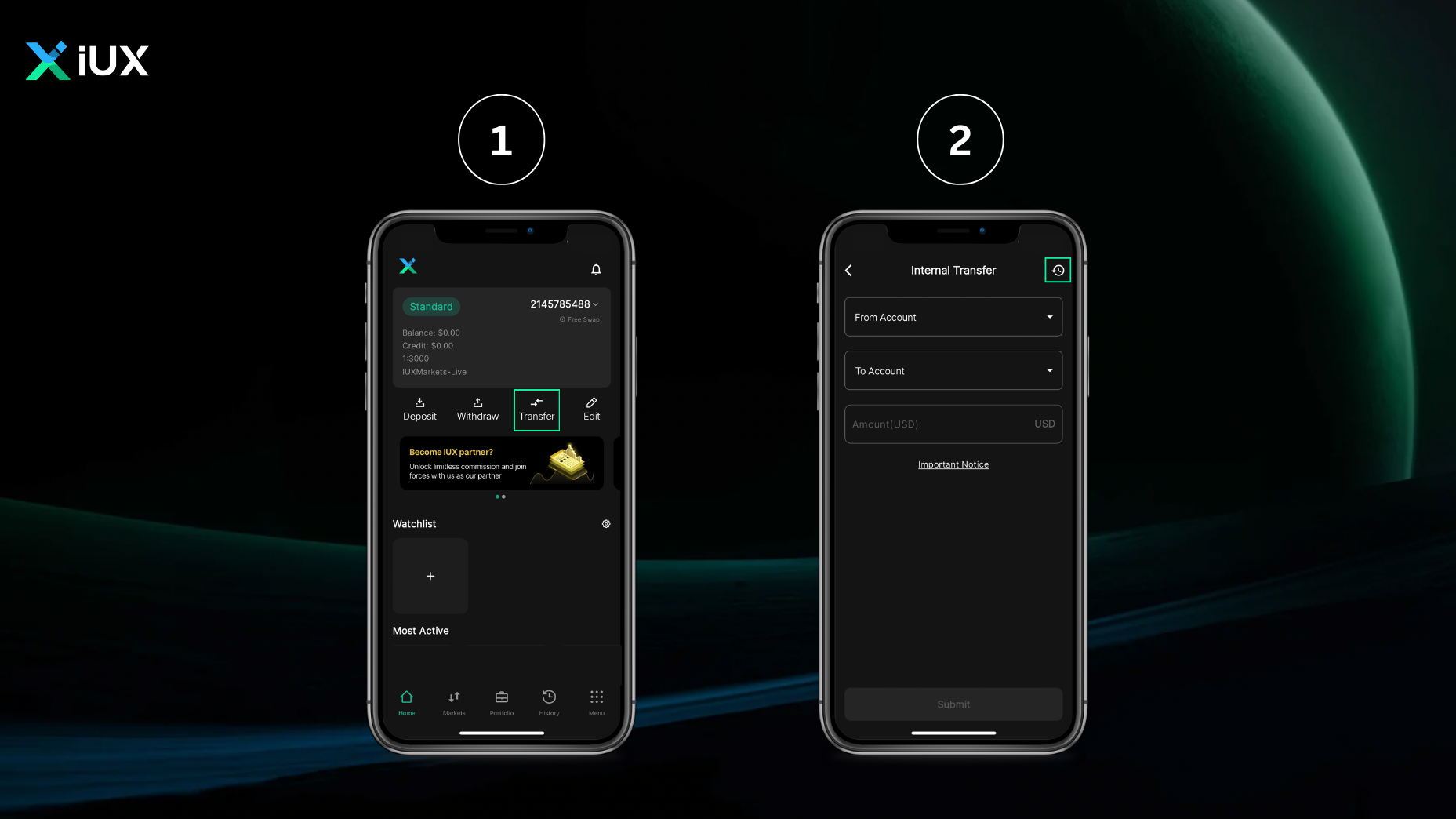
- Select the ‘Transfer’ function on the home page.
- Select your source account from the “From Account” field.
- Select your destination account in the “To Account” field.
- Enter the amount you wish to transfer to your destination account, then submit.
- In making internal transfer transactions, customers can check various transactions in “History” on the Internal Transfer page.
Your balance can be instantly transferred to your trading account without you wanting to withdraw and deposit again.
Attention
- When placing a trade order, please note that internal transfers can be made up to 90% of your equity.


 en
en